


The Lemonn Web Terminal is now live
Trade Like a Pro on Lemonn
Web Terminal
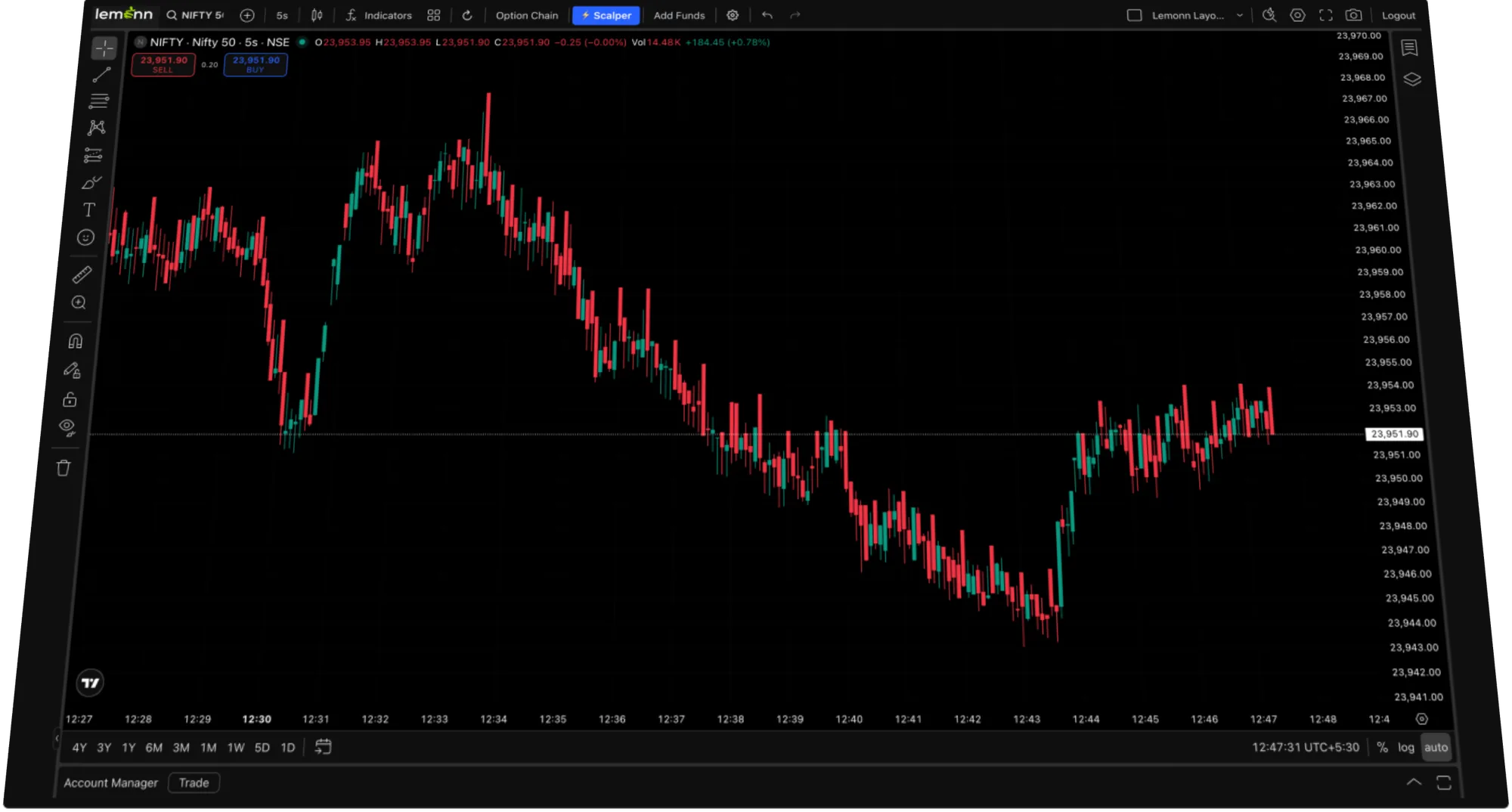
TradingView charts, multi-window layouts, keyboard shortcuts. All the power, none of the clutter.Desktop-grade trading with TradingView charts, multi-window analysis, and keyboard shortcuts. All the power of a pro terminal, without the clutter.
Why Choose Us?
TradingView Charts
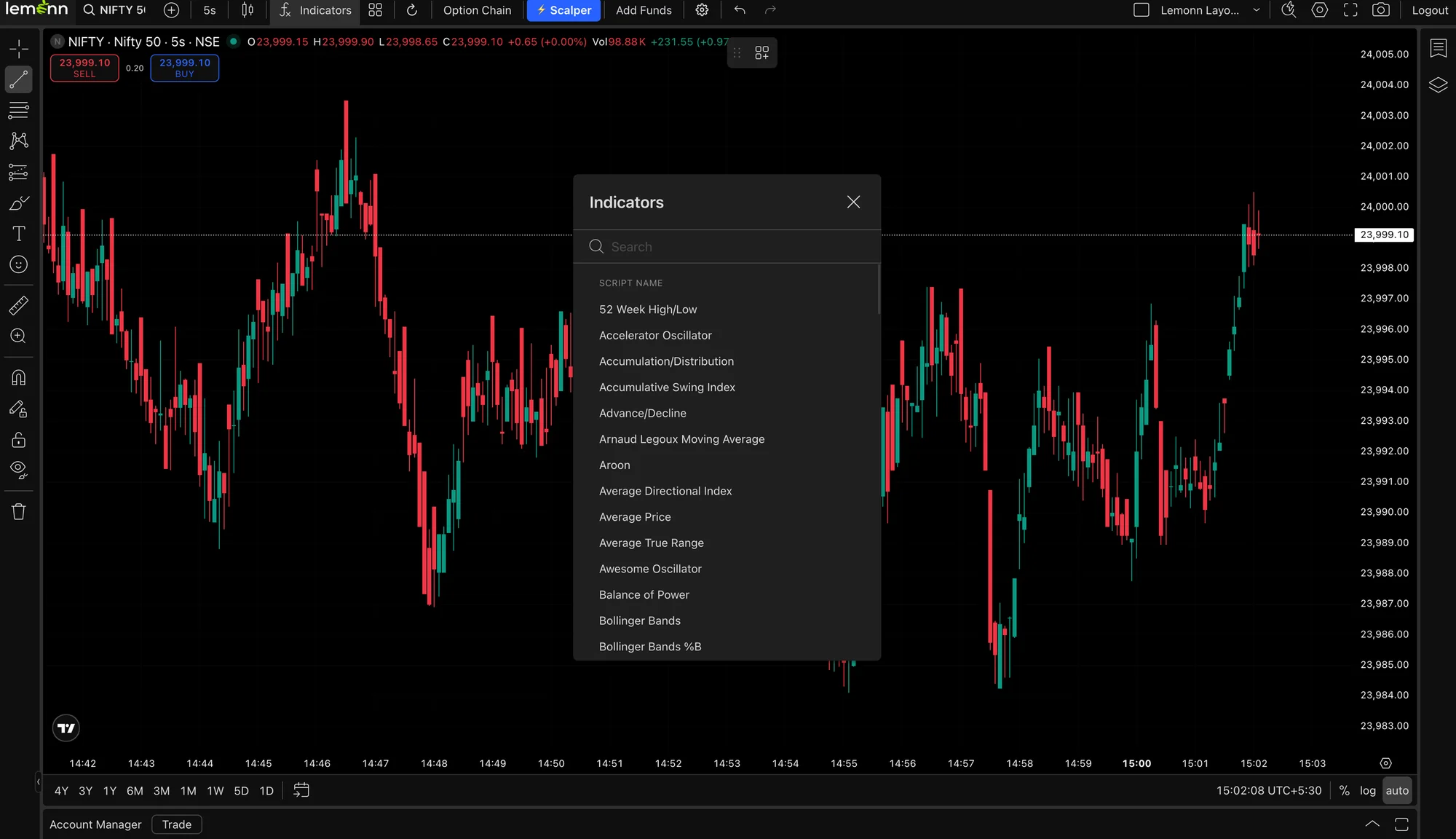
Full TradingView integration with 100+ indicators, drawing tools, and multiple chart layouts.
Multi-Window Trading
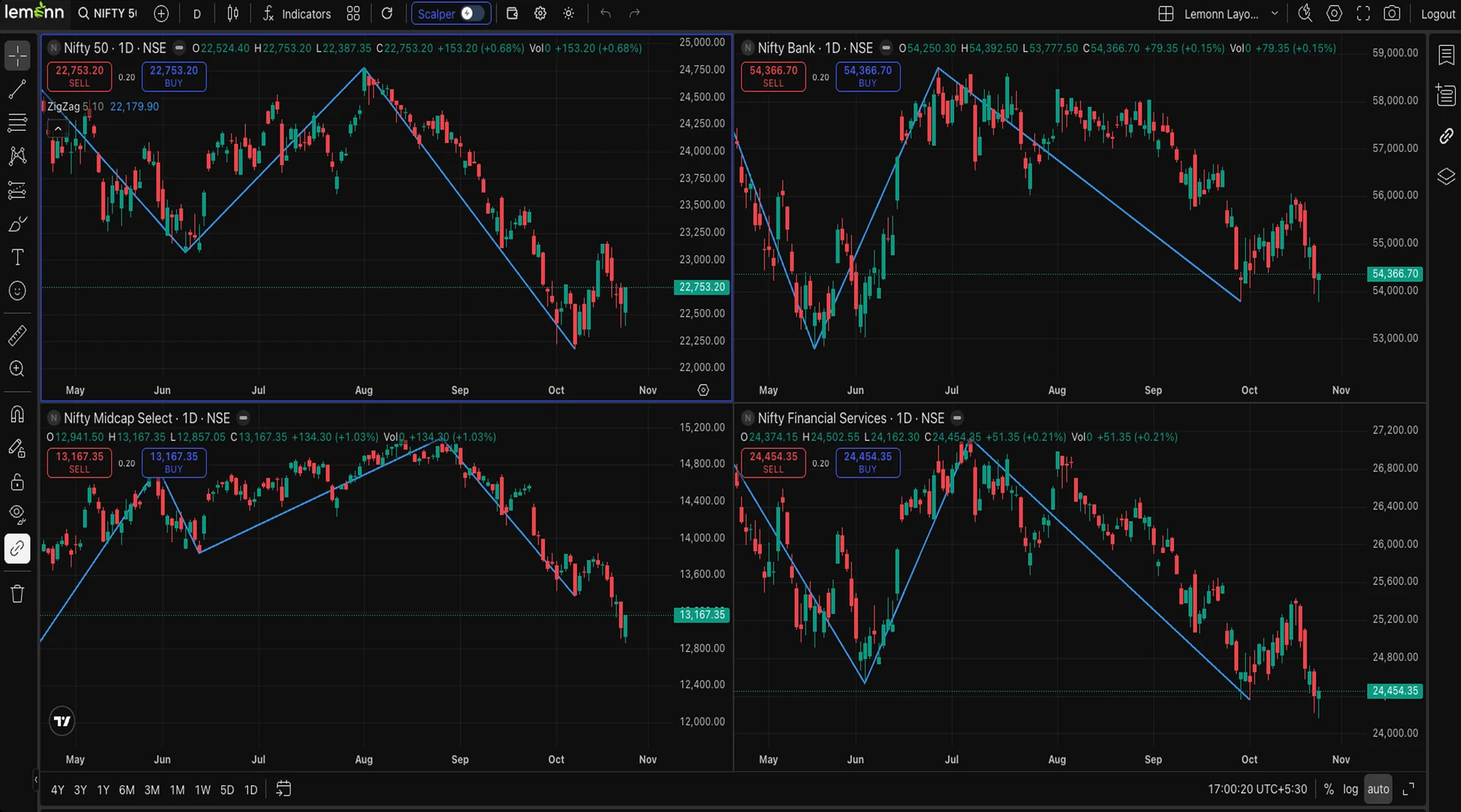
Open multiple charts, watchlists, and order windows side by side. Analyse and execute without switching.
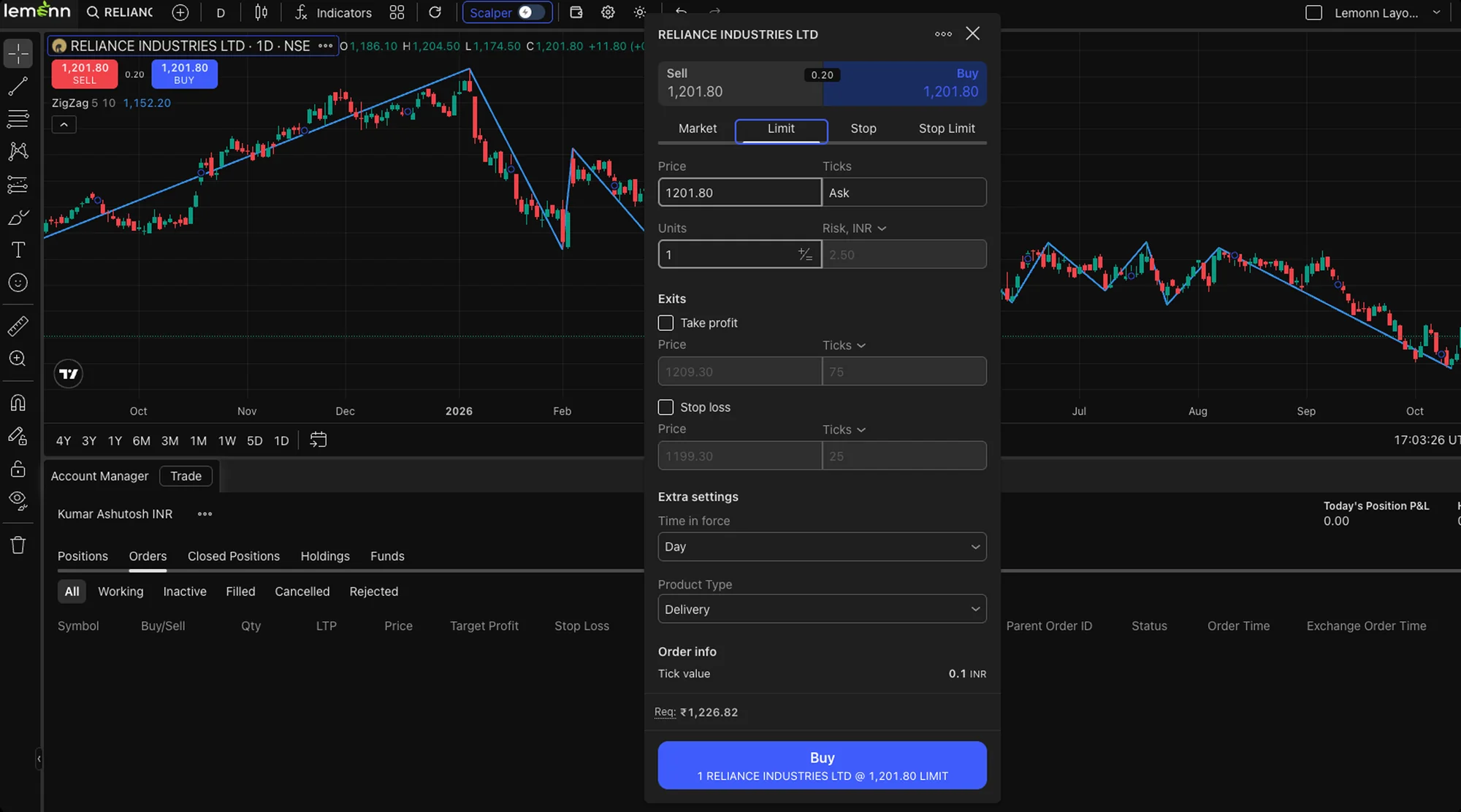
Advanced Order Types
Limit, market, stop loss, GTT, and basket orders, all accessible from a single dashboard.
TradingView Charts
Full TradingView integration with 100+ indicators, drawing tools, and multiple chart layouts.
Trade With Confidence

See Every Timeframe
1m, 15m and daily charts side by side, every panel streaming live.
Mark Your Levels
Trendlines and Fibonacci zones that save with your layout and reload tomorrow.
Read Any Signal
100+ indicators and overlays like RSI, MACD and VWAP on any chart.
See Every Timeframe
1m, 15m and daily charts side by side, every panel streaming live.
Pick Your Screen
Web Terminal
- Advanced TradingView charting
- Multiple windows side by side
- Trade with keyboard shortcuts
- Full desktop workspace
- Best for active desk trading
Mobile App
- Standard charting tools
- One window at a time
- Tap through every action
- Compact single-screen view
- Best for positional trades
Frequently Asked Questions
Answers to the most common questions from our users.
Lemonn Web Terminal is the desktop version of the Lemonn trading platform. It runs in your browser and brings TradingView charts, multi-window layouts, advanced order types and keyboard shortcuts into one workspace built for active traders.
The mobile app is built for quick, on-the-go trading on a single screen. The Web Terminal gives you a full desktop workspace: advanced TradingView charting, multiple windows side by side, and keyboard shortcuts for faster execution. It’s best suited for active and intraday traders.
No. You can log in with your existing Lemonn account. New users can sign up with their mobile number directly from the Web Terminal page.
The Web Terminal is fully integrated with TradingView, giving you 100+ indicators and overlays like RSI, MACD and VWAP, drawing tools such as trendlines and Fibonacci retracements, and multiple chart layouts. Your drawings and layouts are saved, so they’re there when you log back in.
Yes. You can open charts, watchlists and order windows side by side, and view 1-minute, 15-minute and daily charts of the same stock simultaneously, with every panel streaming live.
You can place limit, market, stop-loss, GTT and basket orders, all from a single dashboard.
Yes. Keyboard shortcuts let you place orders, switch charts and navigate the terminal without reaching for the mouse, which helps when you need to act quickly during market hours.
No. The Web Terminal runs in your desktop browser, so there’s nothing to install.