
How To File Income Tax Return Online: A Guide
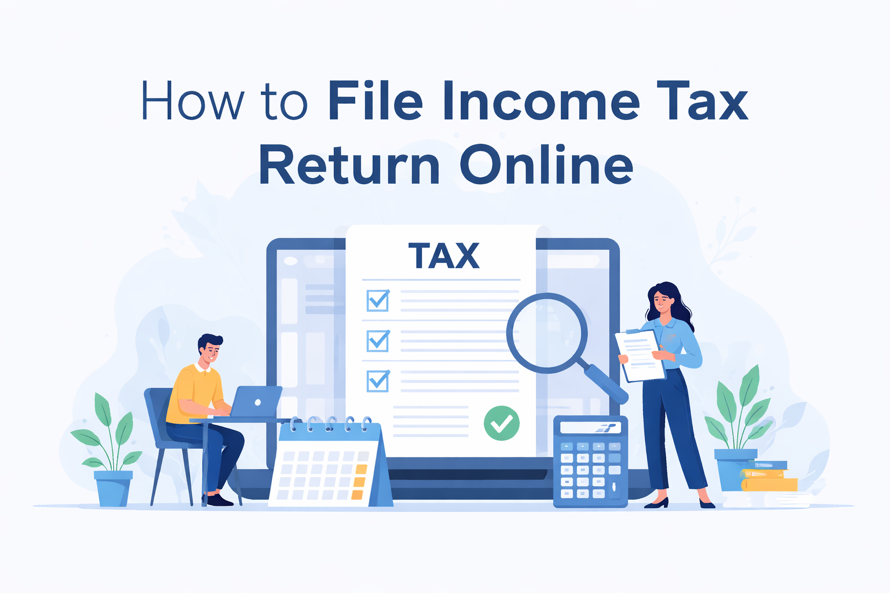
Every year, as July approaches, millions of Indians suddenly remember one thing—income tax return season. For many, the process still feels like a mix of passwords, panic, and last-minute visits to the chartered accountant’s office. Learning how to file income tax return online changes that completely. When you know the steps, filing your ITR becomes just another annual ritual—like renewing your FASTag or paying your electricity bill—rather than a source of stress.
Understanding How To File Income Tax Return Online
At a basic level, how to file income tax return online means submitting your annual income details, tax deductions, and already-paid taxes (like TDS and advance tax) through the official e-filing portal instead of physical forms. You share income from salary, business, capital gains, interest, rent, and any other sources, then the system or your chosen utility calculates whether you owe more tax or are entitled to a refund. You finally verify and submit the return electronically.
For Indian taxpayers, how to file income tax return online sits at the intersection of documentation and technology. Everything is linked—PAN, Aadhaar, bank accounts, TDS statements, Form 26AS, and the Annual Information Statement (AIS). Much of your information is pre-filled, which reduces errors if you cross-check carefully. Whether you are a first-time filer with only one salary Form 16 or a full-time trader with multiple broker statements, the core idea remains the same: declare correctly, match the data, pay any balance tax, and verify the return.
Key Benefits of How To File Income Tax Return Online
- The biggest advantage of learning how to file income tax return online is convenience: you can file from your laptop or phone at any time, without visiting a tax office or couriering paper forms.
- Online filing typically leads to faster processing and refunds; once the return is e-verified, many taxpayers receive their refund directly in their bank account within weeks.
- By learning how to file income tax return online, you reduce dependence on middlemen and gain better visibility into your own income, deductions, and tax position.
- E-filing helps you avoid penalties and notices, because the system flags missing data or mismatches before final submission, giving you a chance to correct them.
“Start investing with confidence! Explore
0 demat account
and grow your wealth.”
A Step-by-Step Guide
Step 1: Getting started
The first step in how to file income tax return online is to confirm whether you are required to file. Most people with taxable income above the basic exemption limit, those who have paid TDS, or those wanting to claim a refund must file a return. Even if your income is below the threshold, voluntarily filing can be advantageous for creating proof of income.
Next, register or log in to the official income-tax e-filing portal using your PAN (which now doubles as your user ID). Link your PAN and Aadhaar, update your mobile and email, and make sure at least one bank account is pre-validated for refunds.
Step 2: Required documents
Before you even click “File Return,” do your paperwork so you’re not scrambling mid-process. For most individuals, filing income tax return online will require:
- Form 16 from your employer (salary details and TDS).
- Form 16A or interest certificates from banks and FDs.
- Details of capital gains statements from brokers or mutual fund platforms.
- Rent receipts, home-loan interest certificates, and proof of major deductions (80C, 80D, etc.).
- Form 26AS and AIS/TIS downloaded or viewed from the portal to cross-check reported incomes and TDS.
Step 3: How to execute or invest
Now comes the actual e-filing flow—the heart of how to file income tax return online:
- Choose the correct ITR form
- Salaried individuals with one income typically use ITR-1 (Sahaj); those with capital gains or multiple income heads may need ITR-2; business or professional income usually means ITR-3 or ITR-4.
- The portal often helps by asking guided questions, but double-check; using the wrong form can lead to defective return notices.
- Use pre-fill wisely
- Fetch pre-filled data—personal details, salary, TDS, some interest income—from Form 26AS and AIS.
- Carefully compare these with your documents; how to file income tax return online safely means correcting any missing or incorrect entries before proceeding.
- Enter income and deductions
- Fill in salary, house property income (rent or home-loan interest), capital gains, business income, and “Income from other sources” (interest, dividends, etc.).
- Add eligible deductions under sections like 80C, 80D, 80G, 80TTA/TTB, and any others that apply.
- Compute tax and pay balance, if any
- The portal will calculate your tax liability based on whether you chose the old or new tax regime.
- If extra tax is due, generate a challan and pay it online via net banking or UPI, then mention the challan details in the return.
- Preview, submit, and e-verify
- Carefully review the summary of your return; once satisfied, click submit.
- Immediately e-verify using Aadhaar OTP, net-banking, bank account, or demat verification. Only after e-verification will the process of how to file income tax return online be complete.
Step 4: Monitoring and exit strategy
After you finish how to file income tax return online, your job isn’t fully over. Monitor your email and the portal for status updates—“Return submitted,” “Return verified,” “Processed,” or any intimation under Section 143(1). If you’re due a refund, track whether it has been initiated and credited to your bank account.
Risks and Challenges
While the process is more user-friendly than ever, there are still real pitfalls in the process of how to file income tax return online. A big risk is blindly trusting pre-filled data without cross-checking it against your own documents.
If a bank fails to report interest or a broker uploads incorrect figures, you’re still responsible for accurate disclosure. Another common issue is choosing the wrong tax regime or ITR form, which can affect both your payable tax and the validity of your filing.
Cybersecurity is another challenge. Because filing an income tax return online involves sensitive information—PAN, Aadhaar, bank details, and income details—using shared computers, weak passwords, or unsecured cybercafes exposes you to risk.
Expert Tips for Indians
- Start early; don’t wait till the last week of the deadline to think about how to file income tax return online, as portals could crash and professionals become overloaded.
- Keep a simple “tax file” (physical or digital) where you drop Form 16s, TDS certificates, rent receipts, investment proofs, and major expense documents throughout the year. When filing time comes, everything is already in one place.
- Decide upfront whether you have opted for the old or new tax regime, and run quick calculations. How to file income tax return online efficiently means aligning your investments and declarations with the chosen regime.
- If your situation involves complex capital gains, foreign income, ESOPs, or business books, don’t hesitate to consult a CA; using professional help is still fully compatible with understanding how to file income tax return online.
- Always download and safely store the ITR acknowledgement (ITR-V) and computation; you’ll need them for loans, visas, or future clarifications.
Conclusion
Once you break it down into steps, how to file income tax return online stops being a mysterious annual ritual and turns into a straightforward process. With each passing year, the portal and integrations are getting smarter, but your responsibility as a taxpayer remains the same. Report your income honestly, check carefully, and file on time. The reward is not only peace of mind and compliance, but also quicker refunds, cleaner records, and fewer surprises in the future.
FAQs
What is your understanding of filing income tax return online?
It is the process of electronically submitting your annual income, deductions, and tax details via the official e-filing portal rather than using physical forms.
How does how to file income tax return online work in India?
You log into the income tax portal with your PAN, choose the right ITR form, fill or confirm pre-filled income and deduction data, pay any balance tax, submit the return, and then e-verify it to complete filing.
What are the benefits of filing income tax return online?
You gain convenience, faster refund processing, fewer errors, better record-keeping, and a digital proof of income that is useful for loans, visas, and other financial applications.
Are there any risks involved in filing income tax return online?
The main risks are entering incorrect information, relying blindly on pre-filled data, missing e-verification, using insecure devices, or choosing the wrong ITR form or tax regime.
Who should consider filing income tax return online?
Almost all taxpayers—salaried individuals, freelancers, traders, NRIs, and small business owners—can and should use how to file income tax return online for smoother compliance.
How can I get started with “how to file income tax return online”?
Register on the e-filing portal with your PAN, link, and validate your Aadhaar and bank accounts, collect key documents like Form 16 and 26AS, and then follow the guided return-filing steps or take a professional’s help for the first time.
Disclaimer
The stocks mentioned in this article are not recommendations. Please conduct your own research and due diligence before investing. Investment in securities market are subject to market risks, read all the related documents carefully before investing. Please read the Risk Disclosure documents carefully before investing in Equity Shares, Derivatives, Mutual fund, and/or other instruments traded on the Stock Exchanges. As investments are subject to market risks and price fluctuation risk, there is no assurance or guarantee that the investment objectives shall be achieved. Lemonn (Formerly known as NU Investors Technologies Pvt. Ltd) do not guarantee any assured returns on any investments. Past performance of securities/instruments is not indicative of their future performance.
Related Posts


Download Lemonn
Download my app for share market trading, ipo investment, trading account, and all your investment needs.



