UPI ID: How to Create, Find & Use It Across All Apps
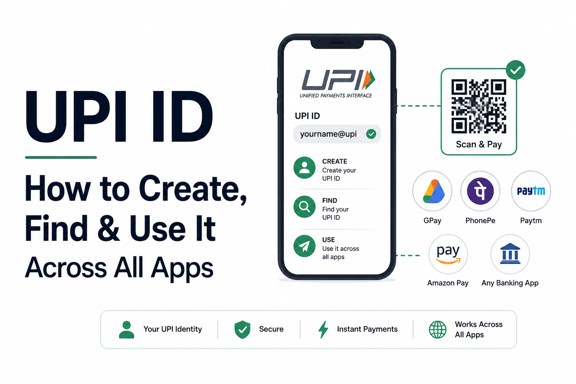
UPI has transformed digital payments in India, making it possible to transfer money instantly using just a mobile phone. At the heart of every UPI transaction is a UPI ID, also known as a Virtual Payment Address (VPA).
Whether you’re using PhonePe, Google Pay, Paytm, BHIM, or another UPI app, understanding how a UPI ID works is essential for sending and receiving money securely.
In this guide, you’ll learn what a UPI ID is, how to create one, where to find it, and how to use it across different UPI apps.
What Is a UPI ID?
A UPI ID (Unified Payments Interface ID) is a unique virtual address linked to your bank account that allows you to send and receive money without sharing sensitive banking details.
Instead of providing:
- Account number
- IFSC code
- Branch details
you can simply use your UPI ID.
Examples of UPI IDs
- mobilenumber@upi
- name@oksbi
- username@okaxis
- mobilenumber@ybl
- username@paytm
Each UPI ID is unique and linked to a bank account.
“Start investing with confidence! Explore
0 demat account
and grow your wealth.”
How Does a UPI ID Work?
When you register on a UPI-enabled app:
- Your mobile number is verified.
- Your bank account is fetched automatically.
- A UPI ID is generated.
- A UPI PIN is created.
Once setup is complete, you can use the UPI ID to:
- Send money
- Receive money
- Pay merchants
- Recharge mobile phones
- Pay utility bills
- Shop online
The entire process is handled securely through NPCI’s UPI network.
Why Do You Need a UPI ID?
A UPI ID offers several benefits.
Convenience
No need to remember lengthy account numbers.
Faster Payments
Money transfers happen instantly.
Enhanced Privacy
You don’t need to share bank account details with others.
24×7 Availability
UPI works round the clock, including weekends and holidays.
Multiple Bank Accounts
Many apps allow you to manage multiple accounts through a single platform.
How to Create a UPI ID
Creating a UPI ID is simple and usually takes only a few minutes.
Step 1: Download a UPI App
Popular UPI apps include:
- PhonePe
- Google Pay
- Paytm
- BHIM
- Amazon Pay
- Banking apps with UPI support
Step 2: Verify Your Mobile Number
Use the mobile number registered with your bank account.
The app will send an SMS for verification.
Step 3: Select Your Bank
Choose your bank from the list.
The app will automatically detect eligible accounts linked to your mobile number.
Step 4: Create or Select a UPI ID
Most apps generate a default UPI ID automatically.
Examples:
- 9876543210@ybl
- yourname@okhdfcbank
- username@paytm
Some apps also allow you to customize the ID.
Step 5: Set Your UPI PIN
Create a secure UPI PIN using your debit card details and OTP verification.
Your UPI ID is now ready to use.
How to Find Your UPI ID
Many users forget their UPI ID after setup.
Fortunately, finding it is easy.
On Google Pay
- Open Google Pay.
- Tap your profile picture.
- Select Bank Account.
- View your linked UPI IDs.
On PhonePe
- Open PhonePe.
- Tap your profile icon.
- Select My UPI ID.
- View all linked IDs.
On Paytm
- Open Paytm.
- Tap Profile.
- Go to UPI & Payment Settings.
- View your UPI ID.
On BHIM
- Open BHIM.
- Select Profile.
- View your UPI ID under account details.
UPI ID Formats Across Popular Apps
Different apps use different UPI handles.
| App | Example UPI ID |
|---|---|
| PhonePe | mobilenumber@ybl |
| Google Pay | username@okaxis |
| Paytm | mobilenumber@paytm |
| BHIM | mobilenumber@upi |
| SBI UPI | username@oksbi |
| HDFC UPI | username@okhdfcbank |
The exact format may vary depending on the bank and app.
How to Use a UPI ID to Send Money
Sending money through a UPI ID is straightforward.
Steps
- Open your UPI app.
- Tap Send Money.
- Enter the recipient’s UPI ID.
- Verify the recipient’s name.
- Enter the amount.
- Add remarks if needed.
- Enter your UPI PIN.
- Confirm the payment.
The transfer is processed instantly.
How to Receive Money Using a UPI ID
To receive funds:
- Share your UPI ID with the sender.
- The sender enters your UPI ID.
- Funds are transferred directly to your bank account.
No bank account details need to be shared.
Can You Have Multiple UPI IDs?
Yes.
Most UPI apps allow users to create multiple UPI IDs linked to the same bank account.
For example:
- yourname@okaxis
- mobilenumber@okaxis
- businessname@okaxis
This can be useful for:
- Personal payments
- Business transactions
- Freelance income
Is UPI ID Safe?
Yes. UPI is designed with multiple security layers.
Security Features
- Mobile number verification
- Device binding
- UPI PIN authentication
- Bank-level encryption
- Real-time transaction monitoring
Safety Tips
- Never share your UPI PIN.
- Avoid clicking suspicious payment links.
- Verify recipient details before sending money.
- Use official UPI apps only.
- Enable app lock and biometric security.
Common UPI ID Issues and Solutions
UPI ID Not Found
Possible reasons:
- Incorrect UPI ID entered
- Recipient changed UPI app
- Account no longer active
Double-check the spelling and format.
Unable to Create UPI ID
Check that:
- Your mobile number is linked to the bank account.
- SMS permissions are enabled.
- Your bank supports UPI services.
Transaction Failed
Possible causes include:
- Server downtime
- Incorrect PIN
- Insufficient balance
- Bank system issues
Retry after some time if necessary.
UPI ID vs Bank Account Number
| Feature | UPI ID | Bank Account Number |
|---|---|---|
| Easy to Remember | Yes | No |
| Requires IFSC | No | Yes |
| Privacy Friendly | Yes | No |
| Instant Payments | Yes | Depends on payment mode |
| Shareable | Yes | Less convenient |
UPI IDs make digital payments much more user-friendly.
Key Takeaways
- A UPI ID is a virtual payment address linked to your bank account.
- It allows instant money transfers without sharing account details.
- You can create a UPI ID through apps like PhonePe, Google Pay, Paytm, and BHIM.
- Finding your UPI ID is easy through the app’s profile or bank account section.
- Multiple UPI IDs can be linked to the same bank account.
- Always protect your UPI PIN and verify recipient details before making payments.
Frequently Asked Questions
Q. What is the difference between a UPI ID and a UPI PIN?
A UPI ID identifies your account for transactions, while a UPI PIN authorizes and secures payments.
Q. Can I change my UPI ID?
Yes. Many UPI apps allow users to create additional UPI IDs or modify existing ones, subject to app policies.
Q. Is a UPI ID linked to my bank account?
Yes. Every UPI ID is linked to a bank account registered through a UPI-enabled app.
Q. Can I have multiple UPI IDs?
Yes. You can create and manage multiple UPI IDs on many UPI apps.
Q. Do I need a UPI ID to receive money?
Yes. A sender can transfer money directly using your UPI ID, making it one of the easiest ways to receive payments.
Conclusion
A UPI ID is the foundation of India’s digital payment ecosystem. It simplifies money transfers, enhances privacy, and eliminates the need to share bank account details for everyday transactions.
Whether you’re using Google Pay, PhonePe, Paytm, BHIM, or your bank’s UPI app, creating and managing a UPI ID is quick and straightforward. By understanding how to create, find, and use your UPI ID, you can enjoy faster, safer, and more convenient digital payments.
Disclaimer
The stocks mentioned in this article are not recommendations. Please conduct your own research and due diligence before investing. Investment in securities market are subject to market risks, read all the related documents carefully before investing. Please read the Risk Disclosure documents carefully before investing in Equity Shares, Derivatives, Mutual fund, and/or other instruments traded on the Stock Exchanges. As investments are subject to market risks and price fluctuation risk, there is no assurance or guarantee that the investment objectives shall be achieved. Lemonn (Formerly known as NU Investors Technologies Pvt. Ltd) do not guarantee any assured returns on any investments. Past performance of securities/instruments is not indicative of their future performance.
Related Posts



Download Lemonn
Download my app for share market trading, ipo investment, trading account, and all your investment needs.