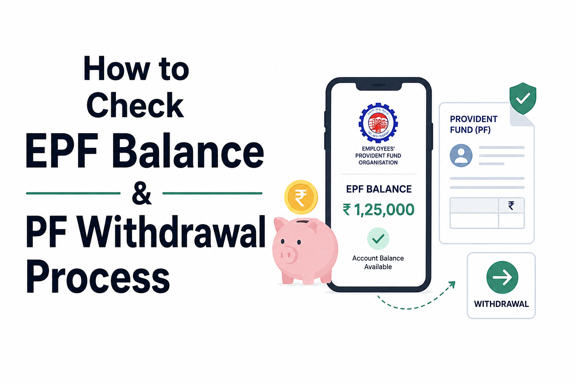
How to Check EPF Balance & PF Withdrawal Process
The Employees’ Provident Fund (EPF) is one of the most important retirement savings schemes for salaried employees in India. Managed by the Employees’ Provident Fund Organisation (EPFO), it helps employees build a financial safety net through regular contributions from both the employee and employer.
Whether you want to track your retirement savings or withdraw funds during a financial emergency, understanding how to check your EPF balance and complete the PF withdrawal process is essential.
In this guide, you’ll learn multiple ways to check your EPF balance and the step-by-step process for withdrawing PF online.
What Is EPF?
The Employees’ Provident Fund (EPF) is a government-backed savings scheme where:
- Employees contribute a portion of their salary.
- Employers make matching contributions.
- Interest is credited annually by EPFO.
The accumulated amount can be withdrawn at retirement or under specific circumstances such as unemployment, medical emergencies, home purchase, or education expenses.
Why Should You Check Your EPF Balance?
Regularly checking your EPF balance helps you:
- Track retirement savings growth
- Verify employer contributions
- Monitor interest credits
- Detect discrepancies early
- Plan future financial goals
EPFO offers several convenient methods to access your balance information.
“Start investing with confidence! Explore
0 demat account
and grow your wealth.”
Prerequisites for Checking EPF Balance
Before checking your balance, ensure:
- Your Universal Account Number (UAN) is activated.
- Aadhaar is linked with your UAN.
- Your mobile number is registered with EPFO.
- KYC details are updated and verified.
These requirements are necessary for most EPF online services.
How to Check EPF Balance Online
Method 1: Through the EPFO Member Portal
The EPFO portal provides detailed account information.
Steps to Check EPF Balance
- Visit the EPFO Member e-Sewa portal.
- Log in using your UAN and password.
- Enter the captcha code.
- Click on View.
- Select Passbook.
- Choose your Member ID.
You can view:
- Employee contribution
- Employer contribution
- Pension contribution
- Interest credits
- Total EPF balance
This is one of the most detailed ways to monitor your account.
Method 2: Check EPF Balance Through UMANG App
The UMANG app offers easy access to EPFO services.
Steps
- Download the UMANG app.
- Register using your mobile number.
- Open EPFO services.
- Select Employee Centric Services.
- Click View Passbook.
- Enter your UAN.
- Verify using OTP.
Your EPF balance and transaction history will be displayed instantly.
Method 3: Check EPF Balance via SMS
EPFO allows balance inquiries through SMS.
SMS Format
Send:
EPFOHO UAN
to:
7738299899
You will receive an SMS containing:
- Current balance
- Latest contribution details
Supported Languages
The SMS service supports multiple regional languages.
Example:
EPFOHO UAN HIN for Hindi.
Your UAN must be activated and linked with Aadhaar, PAN, or bank details.
Method 4: Check EPF Balance Through Missed Call
This is one of the fastest methods.
Steps
- Dial 9966044425 from your registered mobile number.
- Disconnect after the missed call.
- Receive an SMS containing EPF balance details.
There is no charge for this service.
Understanding Your EPF Passbook
The EPF passbook contains important information.
| Entry | Meaning |
|---|---|
| Employee Share | Your monthly contribution |
| Employer Share | Employer contribution to EPF |
| Pension Contribution | Employer share allocated to EPS |
| Interest | Annual interest credited |
| Closing Balance | Total available balance |
Reviewing your passbook helps verify that contributions are being deposited correctly.
When Can You Withdraw PF?
PF withdrawals are permitted under various conditions.
Full Withdrawal
You may withdraw the entire balance:
- Upon retirement
- After reaching the prescribed retirement age
- If unemployed for a specified period
Partial Withdrawal
Partial withdrawals may be allowed for:
- Medical treatment
- Higher education
- Marriage expenses
- Home purchase or construction
- Home loan repayment
Eligibility conditions vary based on withdrawal purpose.
Documents Required for PF Withdrawal
Generally, you will need:
- UAN
- Aadhaar-linked mobile number
- Updated KYC details
- Verified bank account
- PAN (in certain cases)
Most online claims require no physical document submission if KYC is fully verified.
How to Withdraw PF Online
EPFO’s online claim facility allows members to withdraw funds conveniently.
Step 1: Log In to EPFO Member Portal
Visit the EPFO Member e-Sewa portal and sign in using:
- UAN
- Password
- Captcha
Step 2: Verify KYC Details
Navigate to:
Manage > KYC
Ensure that:
- Aadhaar is verified
- PAN is verified
- Bank account is verified
Claims may be rejected if KYC is incomplete.
Step 3: Go to Online Services
Select:
Online Services > Claim (Form-31, 19 & 10C)
The portal will display your account details.
Step 4: Verify Bank Account
Enter the last digits of your bank account number for verification.
Click Verify.
Step 5: Proceed with Claim
Click:
Proceed for Online Claim
Choose the appropriate claim type.
Common Claim Forms
| Form | Purpose |
|---|---|
| Form 19 | Final PF settlement |
| Form 10C | Pension withdrawal benefit |
| Form 31 | Partial PF withdrawal |
Select the option applicable to your situation.
Step 6: Enter Claim Details
Provide:
- Withdrawal reason
- Required amount
- Address details (if applicable)
Review all information carefully.
Step 7: Authenticate Using OTP
An OTP will be sent to your Aadhaar-linked mobile number.
Enter the OTP and submit the claim.
Your request will be forwarded for processing.
How Long Does PF Withdrawal Take?
Processing timelines may vary.
| Withdrawal Type | Typical Processing Time |
|---|---|
| Online Claim | 7–20 working days |
| Partial Withdrawal | 7–15 working days |
| Final Settlement | 10–20 working days |
Once approved, the amount is credited directly to your registered bank account.
How to Check PF Claim Status
After submitting a claim:
Steps
- Log in to the EPFO portal.
- Go to Online Services.
- Select Track Claim Status.
You can view:
- Claim submitted
- Under processing
- Approved
- Settled
This helps you monitor progress without visiting an EPFO office.
Common Reasons for PF Claim Rejection
Claims may be rejected due to:
- Aadhaar mismatch
- Incorrect bank details
- Unverified KYC
- Incomplete documentation
- Name mismatch between EPFO and Aadhaar records
Updating your details before filing can prevent delays.
Benefits of Online PF Withdrawal
The online process offers several advantages:
- Faster processing
- No paperwork in most cases
- Real-time status tracking
- Direct bank transfer
- Reduced need for employer intervention
It is significantly more convenient than traditional offline methods.
Key Takeaways
- EPF helps employees build long-term retirement savings.
- You can check your EPF balance through the EPFO portal, UMANG app, SMS, or missed call service.
- UAN activation and KYC verification are essential.
- PF withdrawals can be full or partial, depending on eligibility.
- Online claims can be submitted through the EPFO Member Portal.
- Most online withdrawals are processed within a few weeks.
- Regularly checking your EPF balance helps ensure contributions are being credited correctly.
Frequently Asked Questions
Q. Can I check my EPF balance without logging into the portal?
Yes. You can use the EPFO SMS service or give a missed call from your registered mobile number to receive balance details.
Q. Is UAN mandatory for PF withdrawal?
Yes. UAN is required for online PF withdrawal and most EPFO services.
Q. Can I withdraw PF while still employed?
Yes, partial withdrawals are permitted for specific purposes such as medical treatment, education, marriage, or housing-related expenses, subject to eligibility conditions.
Q. How can I track my PF withdrawal status?
You can track your claim status through the EPFO Member Portal under the “Track Claim Status” section.
Q. Is PF withdrawal taxable?
Taxability depends on factors such as the length of service and applicable tax rules. Employees should review current tax provisions before withdrawing funds.
Conclusion
Checking your EPF balance and withdrawing PF online has become simple thanks to EPFO’s digital services. Whether you use the EPFO portal, UMANG app, SMS, or missed call facility, staying informed about your PF balance can help you manage your retirement savings more effectively.
If you’re eligible for a withdrawal, the online claim process offers a fast and convenient way to access your funds while allowing you to track the status of your request every step of the way.
Disclaimer
The stocks mentioned in this article are not recommendations. Please conduct your own research and due diligence before investing. Investment in securities market are subject to market risks, read all the related documents carefully before investing. Please read the Risk Disclosure documents carefully before investing in Equity Shares, Derivatives, Mutual fund, and/or other instruments traded on the Stock Exchanges. As investments are subject to market risks and price fluctuation risk, there is no assurance or guarantee that the investment objectives shall be achieved. Lemonn (Formerly known as NU Investors Technologies Pvt. Ltd) do not guarantee any assured returns on any investments. Past performance of securities/instruments is not indicative of their future performance.
Related Posts



Download Lemonn
Download my app for share market trading, ipo investment, trading account, and all your investment needs.